Learn how to setup review requests through Punchey!
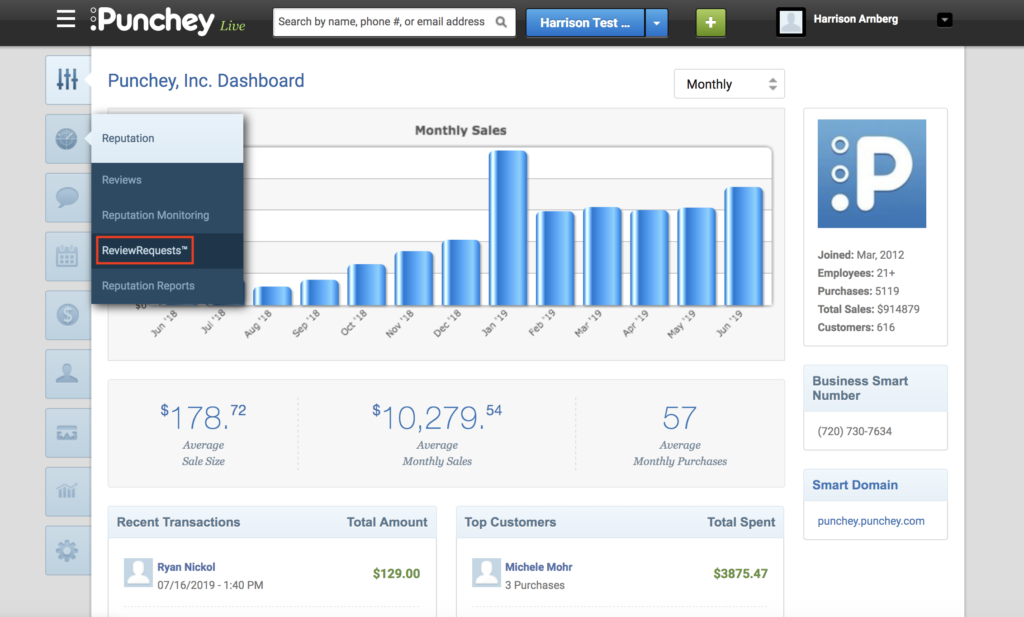
First, from your Dashboard, select “Reputation” and “Review Requests.”
You will then be brought to this screen.
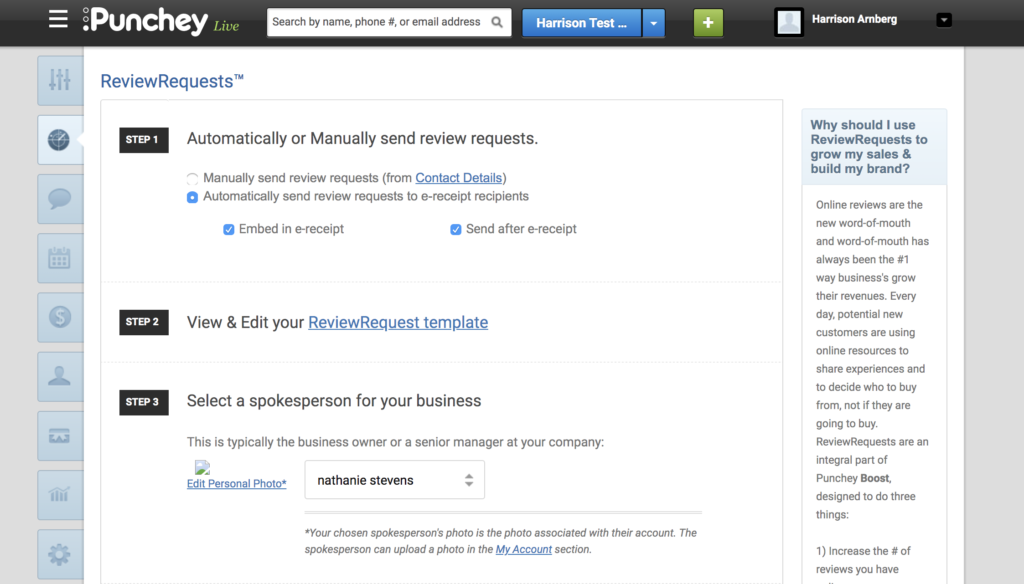
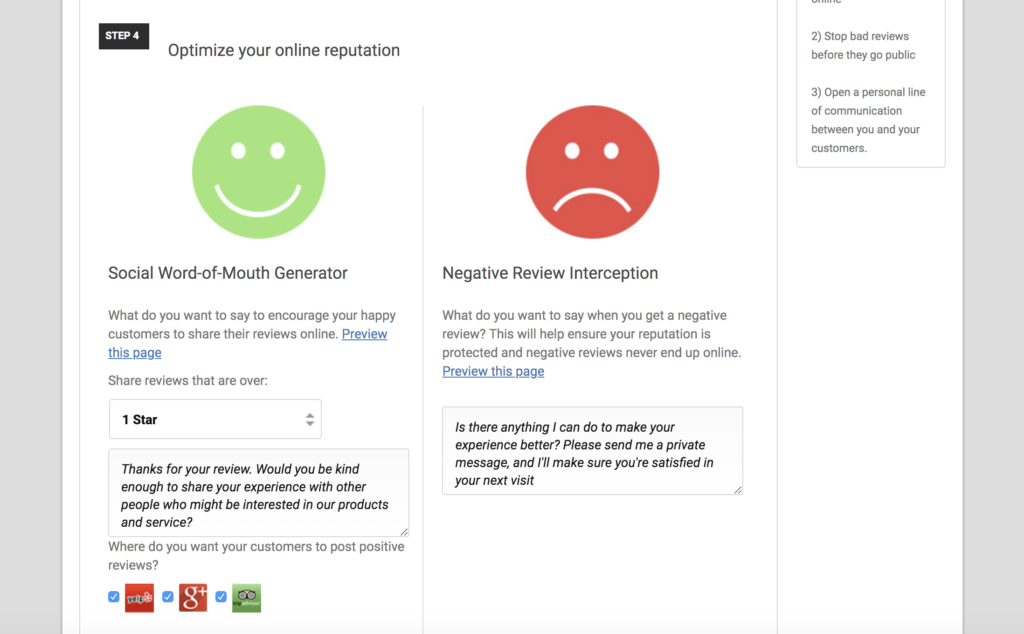
Here, you can select your preferences on your review request management, customizable to your desired settings.
Step 1: Select preferences on how and when review requests will be sent (we recommend sending with your e-receipt as well as after to maximize engagement).
Step 2: Customize your review request message and template.
Step 3: Select your company spokesperson. This who the request will come from.
Step 4: Use the social word of mouth generator and negative review interceptor to set standards for reviews to the web as well as sending feedback for positive and negative reviews.
Want to learn more? Check out our YouTube Channel for helpful content and read more of our how-to guides!
Was this article helpful?
That’s Great!
Thank you for your feedback
Sorry! We couldn't be helpful
Thank you for your feedback
Feedback sent
We appreciate your effort and will try to fix the article