Overview
The Opportunities Form is used for consultations and new inquiries submitted through your website. When a client completes the form, their information is sent directly to your dashboard, where you can assign, follow up, and track it in the Opportunity Center.
This allows you to respond quickly, stay organized, and receive real-time mobile notifications. You can also track where each submission is in the process and view consultation details at any time.
How to Complete the Opportunities Form Manually
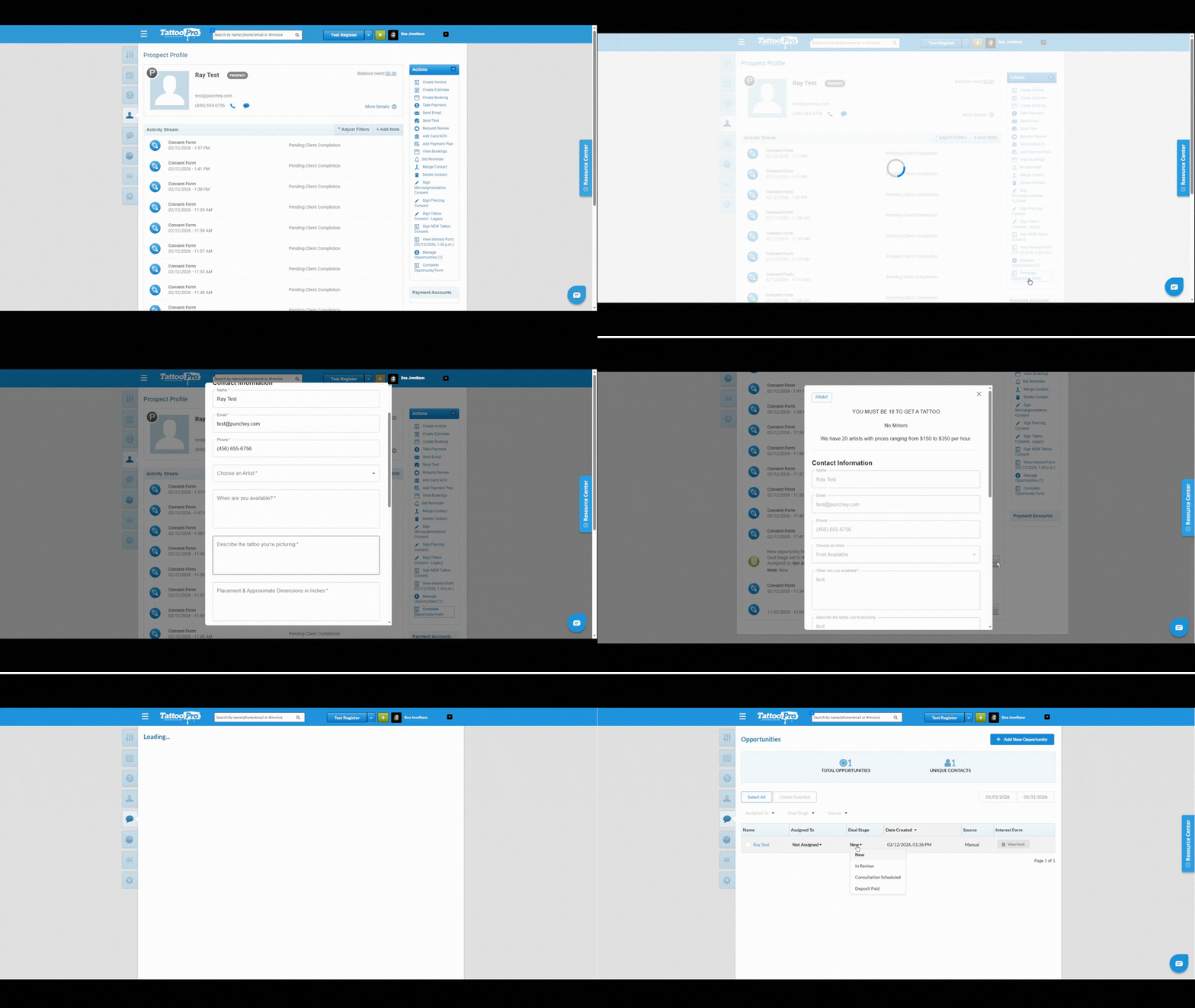
Go to the client’s profile.
Select Complete Opportunity Form.
Fill out the required information and submit the form.
After submitting, you can view the form in the activity stream by selecting the paper icon labeled New Opportunity from Interest Form.
You may also view it by selecting Manage Opportunities on the client’s profile.
How Clients Complete the Form Through Your Website
Clients can complete the Opportunities Form directly on your SpringBoard Domain website.
Once submitted, the form will automatically appear in your dashboard.
Where to View and Manage Submitted Opportunities
Go to Conversations.
Select Opportunities.
From there, you can update the stage of the opportunity:
New
In Review
Consultation Scheduled
Deposit Paid
This helps you track the progress of each consultation or inquiry.
Need Help Setting It Up?
If you have not set up your Opportunities Form yet, please contact our support team for assistance.
Was this article helpful?
That’s Great!
Thank you for your feedback
Sorry! We couldn't be helpful
Thank you for your feedback
Feedback sent
We appreciate your effort and will try to fix the article