Your logo is displayed in various places throughout the Punchey system. Be sure to use a high quality image to represent your business!
Navigating to Business Info
- From the Dashboard, select Settings and then Business Info
- At the top of the page select Upload Business Logo
- Recommended size is at least 300 x 300 pixels
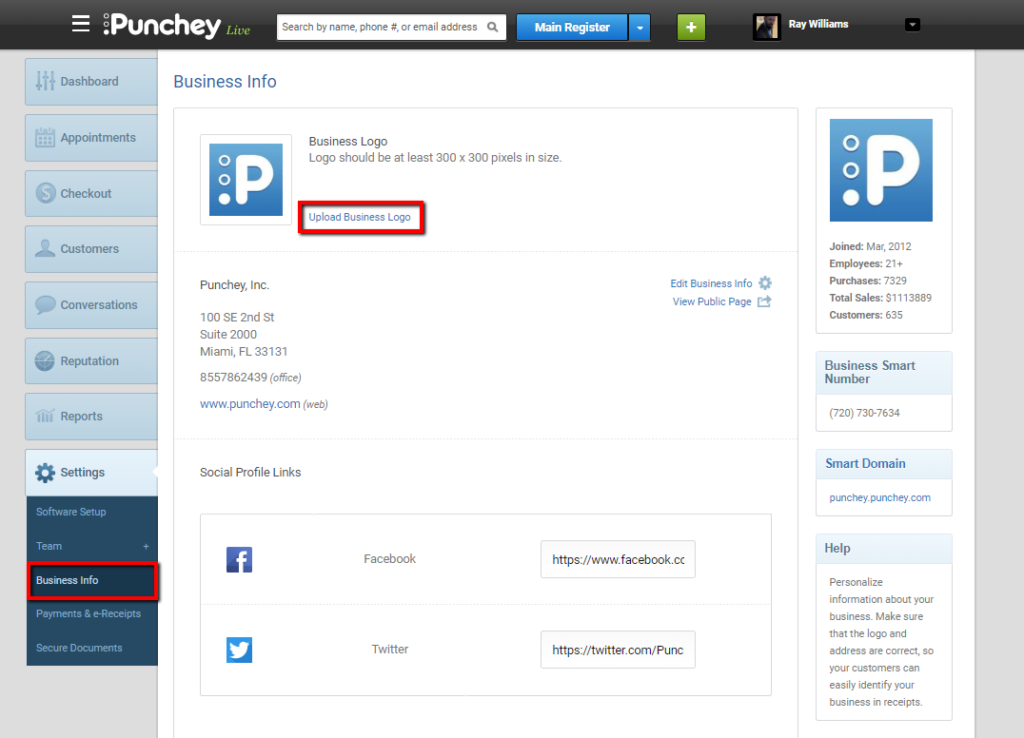
- Verify that the image displays correctly after uploading
- Complete!
Want to learn more? Check out our YouTube Channel for helpful content and read more of our how-to guides!
Was this article helpful?
That’s Great!
Thank you for your feedback
Sorry! We couldn't be helpful
Thank you for your feedback
Feedback sent
We appreciate your effort and will try to fix the article