If you are using Punchey Merchant Services, funds are deposited into your account according to the funding schedule. You can view details on the deposits by following the instructions below.
Navigate to Deposits
- From our dashboard, first select Reports
- Then select Deposits from the dropdown menu
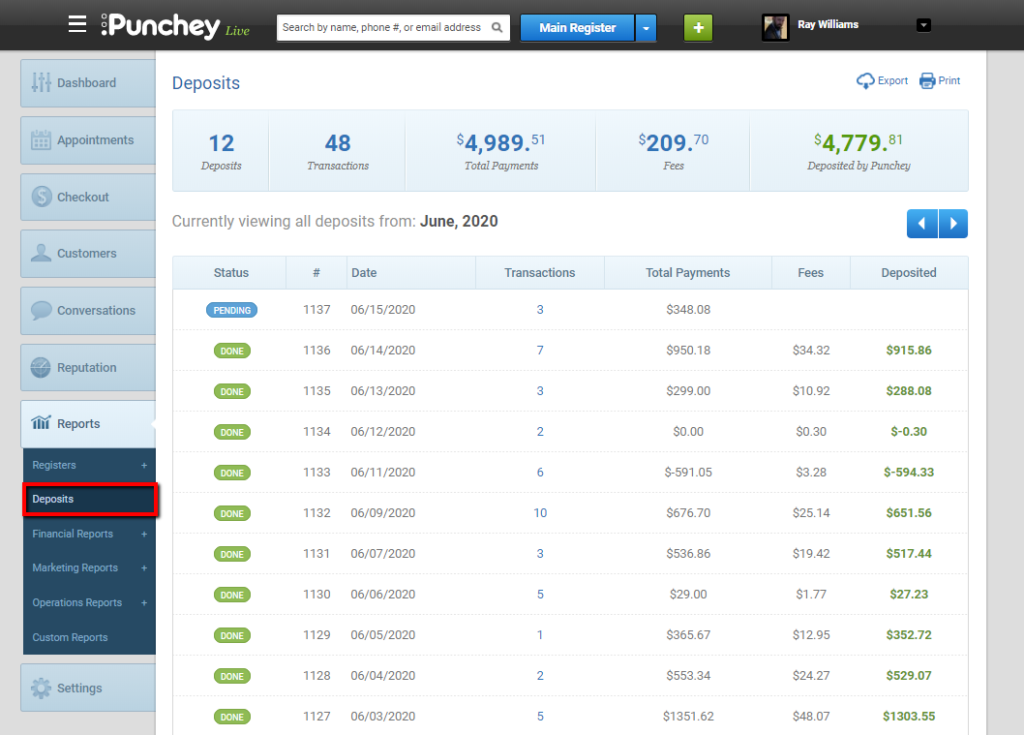
You will find your deposits shown as either Pending or Done. Click on the transactions number to find additional information on the deposit.
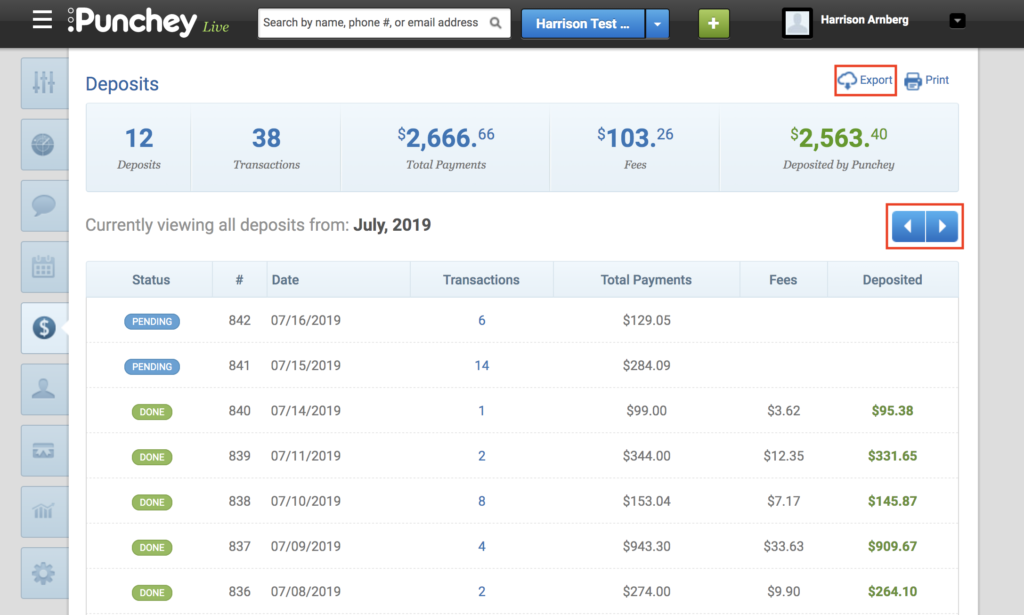
Use the toggle buttons to view deposits from different months, print your deposits, or click Export in the top right corner to download this information into an Excel sheet.
Want to learn more? Check out our YouTube Channel for helpful content and read more of our how-to guides!
Was this article helpful?
That’s Great!
Thank you for your feedback
Sorry! We couldn't be helpful
Thank you for your feedback
Feedback sent
We appreciate your effort and will try to fix the article