If you have multiple employees, or other resources that follow their own schedule you may want to create separate calendars for scheduling. Follow the instructions below to create new Resources:
- Click on Settings > Team > Your Calendars
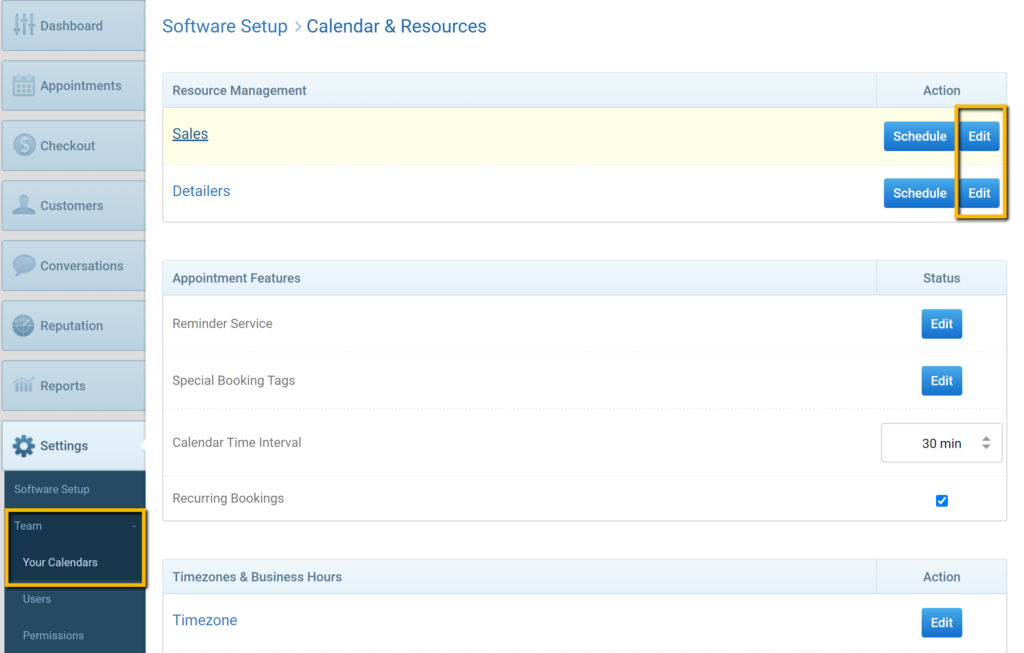
- Under Resource Management, click Edit for the corresponding Resource (Bay, Detailer, Artist, Groomer, etc.)
- On the next page, click +New Resource
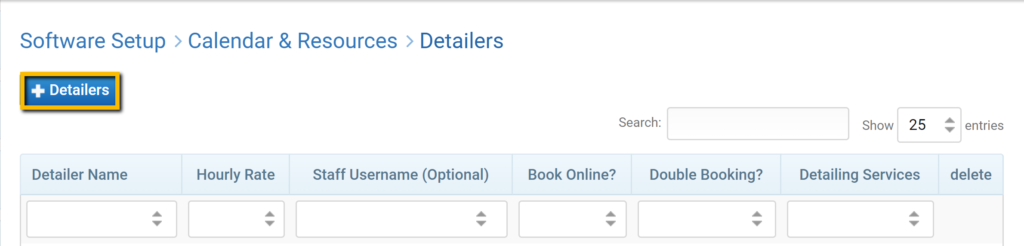
- Fill out the form on the next page.
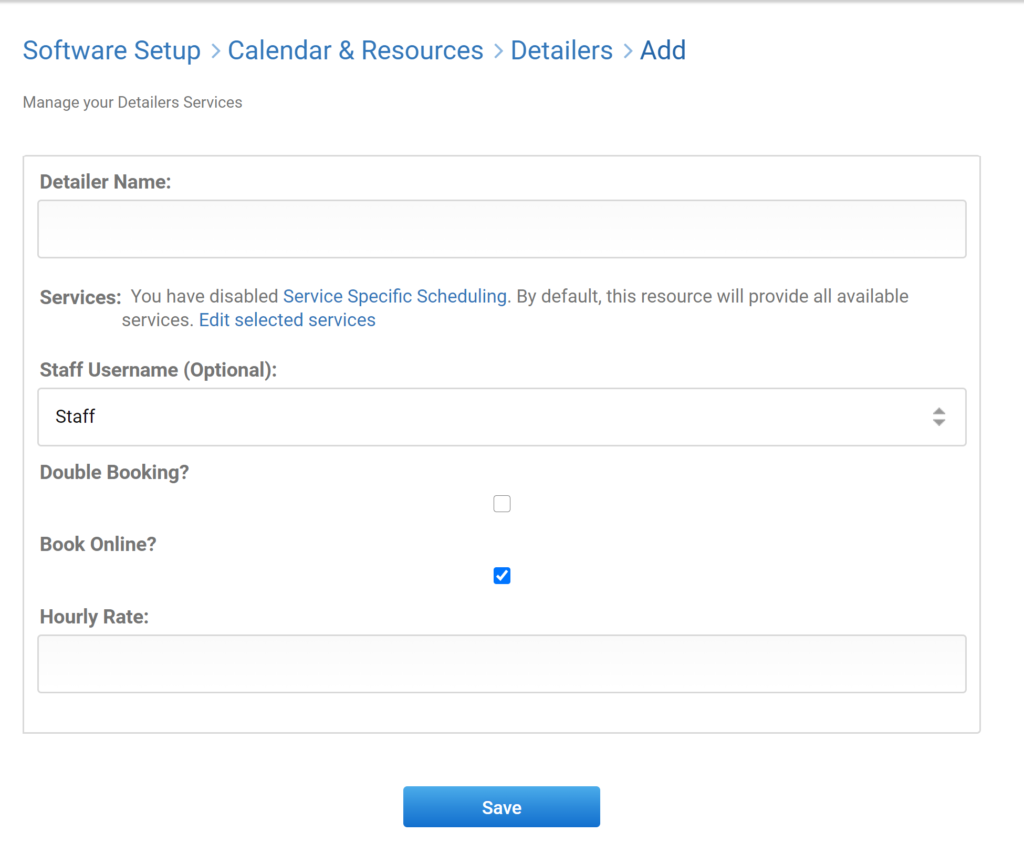
- Edit services that the resource will be available for scheduling for if necessary. By default, they will be available for all services.
- Click Save and check to make sure it was correctly added.
Was this article helpful?
That’s Great!
Thank you for your feedback
Sorry! We couldn't be helpful
Thank you for your feedback
Feedback sent
We appreciate your effort and will try to fix the article