Learn how to integrate your MailChimp to make the most of Punchey’s email marketing campaigns!
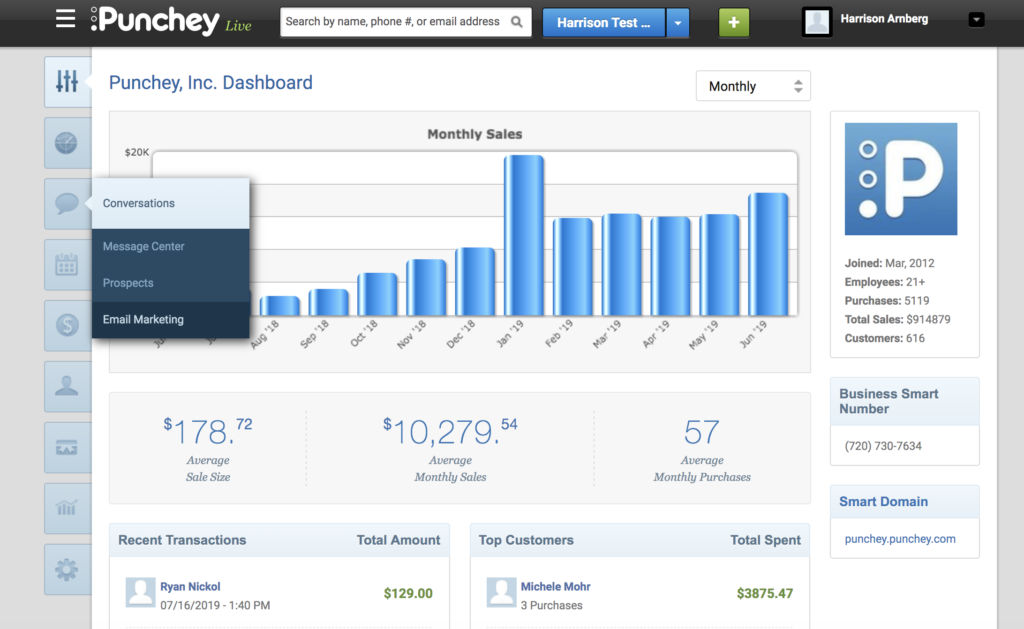
First, navigate towards “Conversations” on your dashboard and select “Email Marketing.”
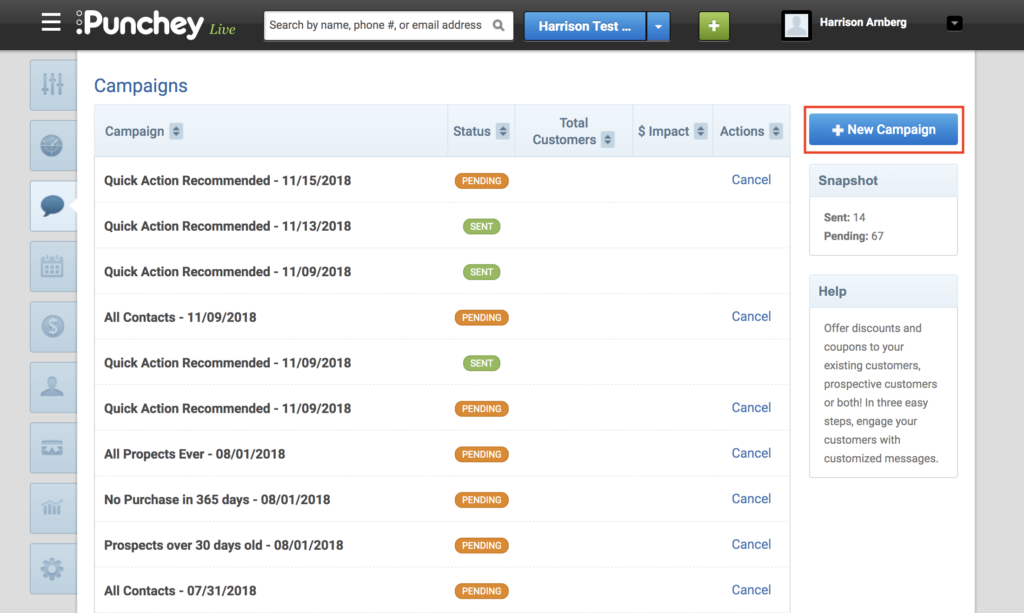
That will bring up the following screen; here, locate the “+ New Campaign” button in the top right corner.
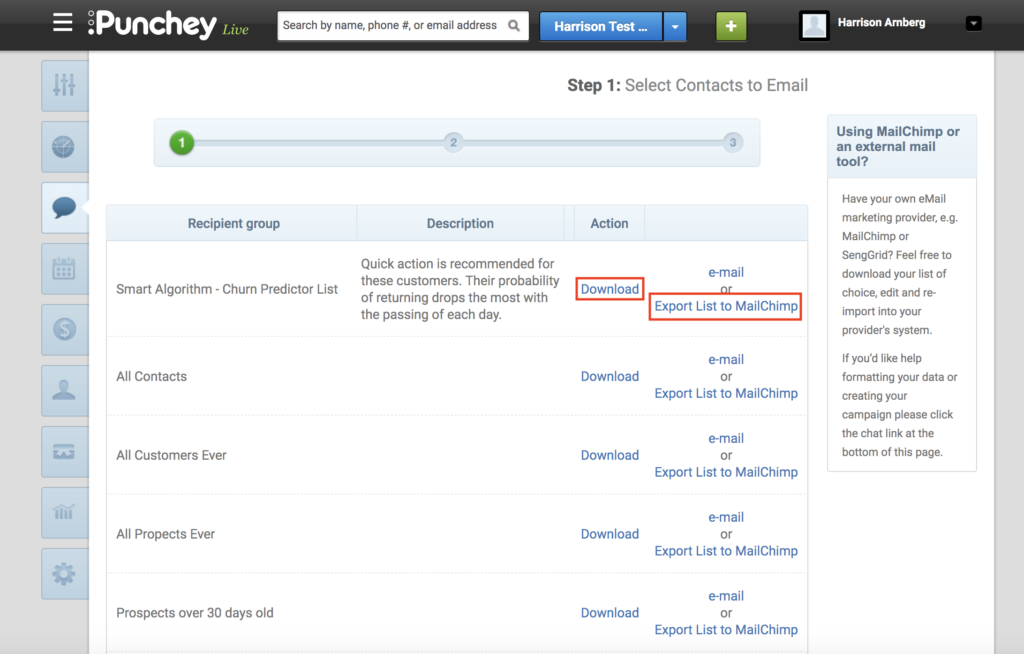
Once here, simply select your target audience and click “Export List to MailChimp” or “Download” if you wish to use another provider.
Want to learn more? Check out our YouTube Channel for helpful content and read more of our how-to guides!
Was this article helpful?
That’s Great!
Thank you for your feedback
Sorry! We couldn't be helpful
Thank you for your feedback
Feedback sent
We appreciate your effort and will try to fix the article