Overview
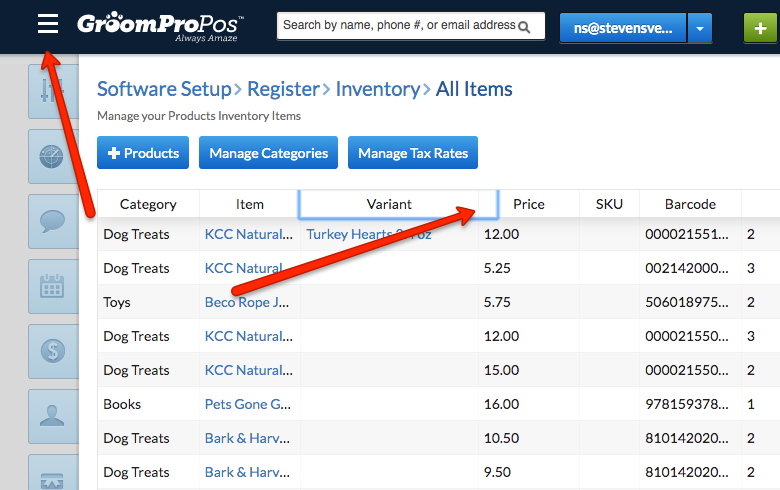
Whether in the office or on your software, a cluttered workspace is not conducive to business. Some customers have brought to our attention that they would prefer that the item and variant columns on the main inventory page should be larger. If you would like to enlarge these, or any, columns, you can click the burger icon to get more space. You can also use the mouse to expand column width.
How to:
- Click the burger icon to get more space on the main inventory page.
- Use the mouse to expand the width of the item and variant columns (or any columns) manually.
Why It Matters
- Enhanced visibility: Enlarging columns helps you view more detailed information without the need to scroll or squint.
- Improved workflow: A less cluttered inventory view helps streamline your operations and reduces the friction of data management.
- User-friendly adjustments: The ability to quickly modify column widths empowers users to customize the view to suit their preferences and needs, increasing overall usability.
Was this article helpful?
That’s Great!
Thank you for your feedback
Sorry! We couldn't be helpful
Thank you for your feedback
Feedback sent
We appreciate your effort and will try to fix the article